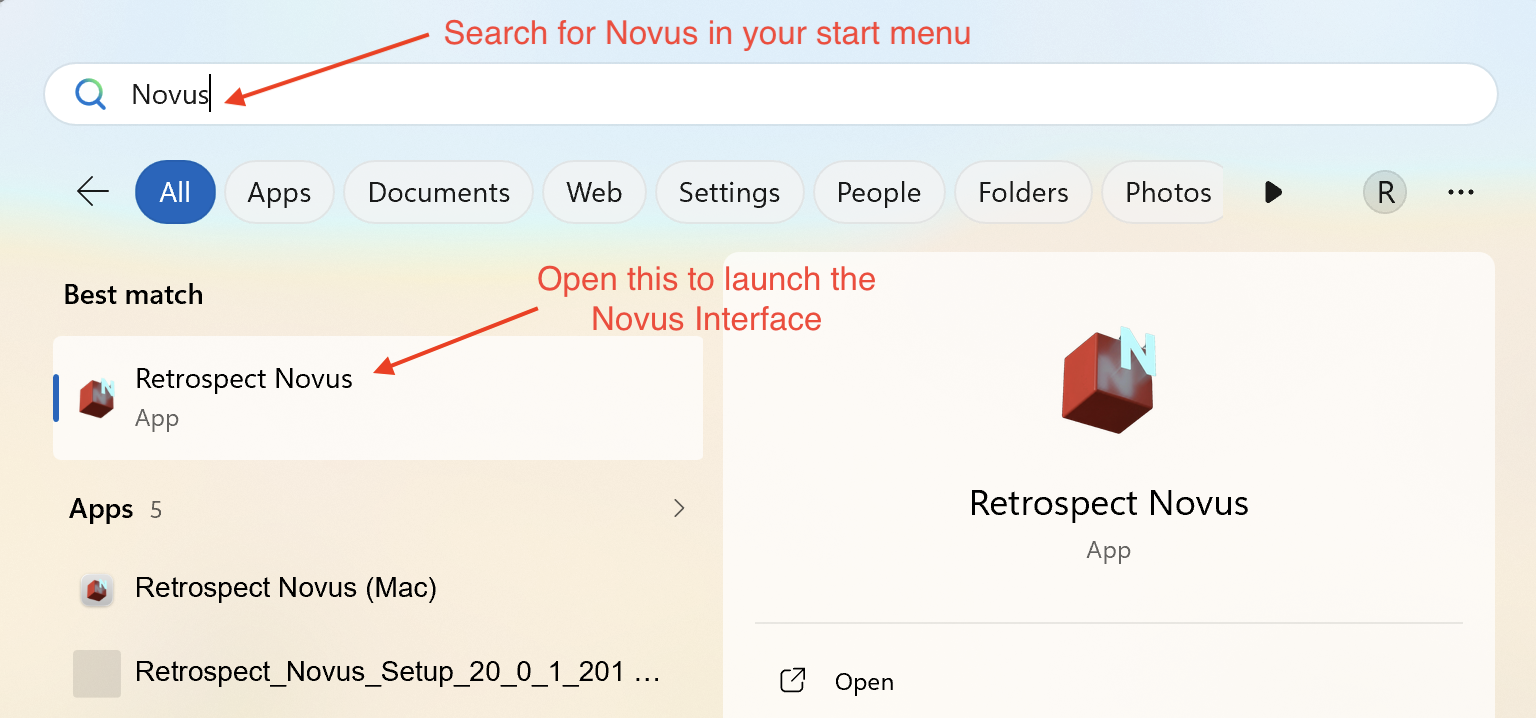
When Retrospect autolaunches into the background for a scheduled backup on a Windows computer, you do not have access to the full Retrospect interface. In older versions of Retrospect, you would automatically see a Retrospect Dashboard utility when you attempt to open Retrospect.exe.
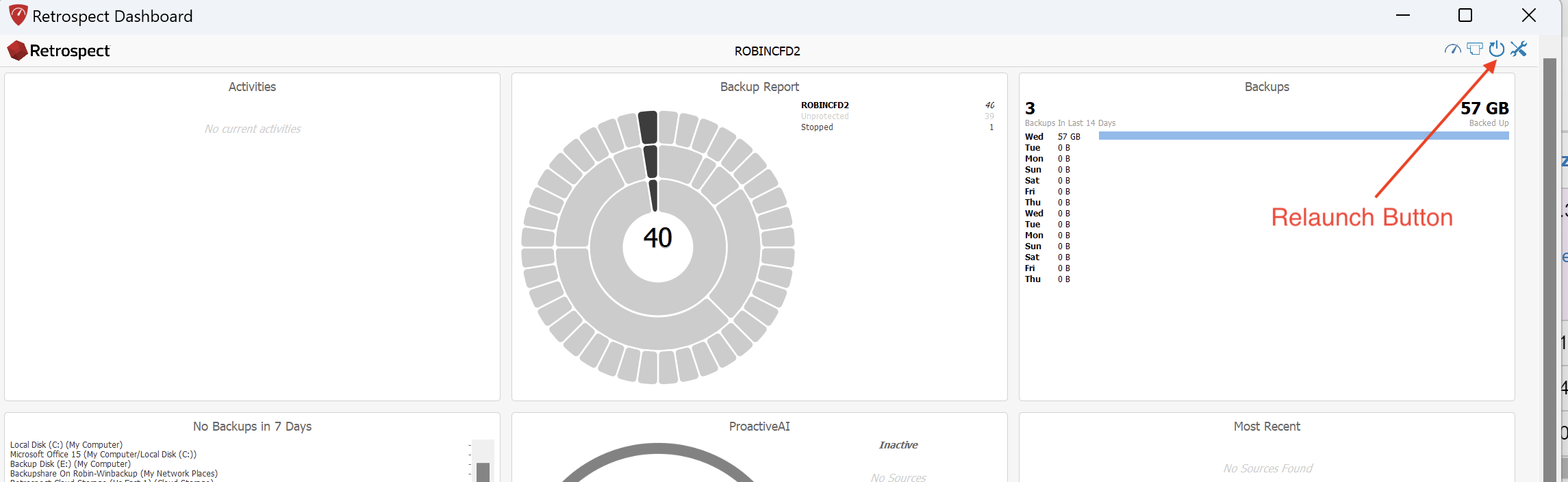
The Dashboard utility offers very limited functionality. Dashboard allows you to stop a backup, view a running backup and click the Relaunch button to close the Retrospect application running in the background and reopen it.
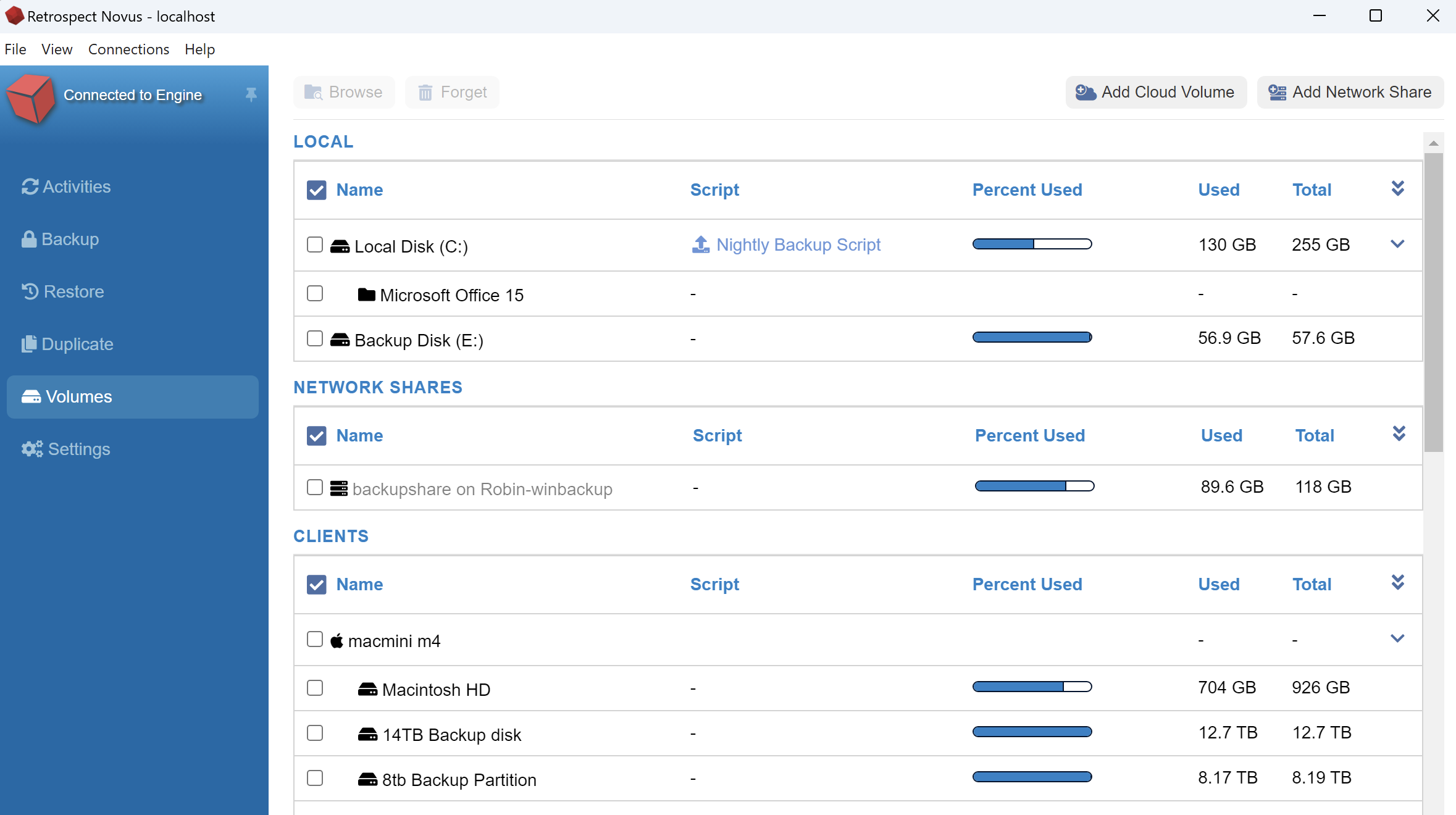
Retrospect 20 includes the Retrospect Novus interface that provides a much better user experience, allowing you to view running backups, edit backup scripts, add volumes, perform restores and much more. You can open the Retrospect Novus interface and close it at any time without it impacting your running backup operations.
To open Retrospect Novus, go to your Start Menu and search for Novus or you can search for Retrospect to see all Retrospect programs.