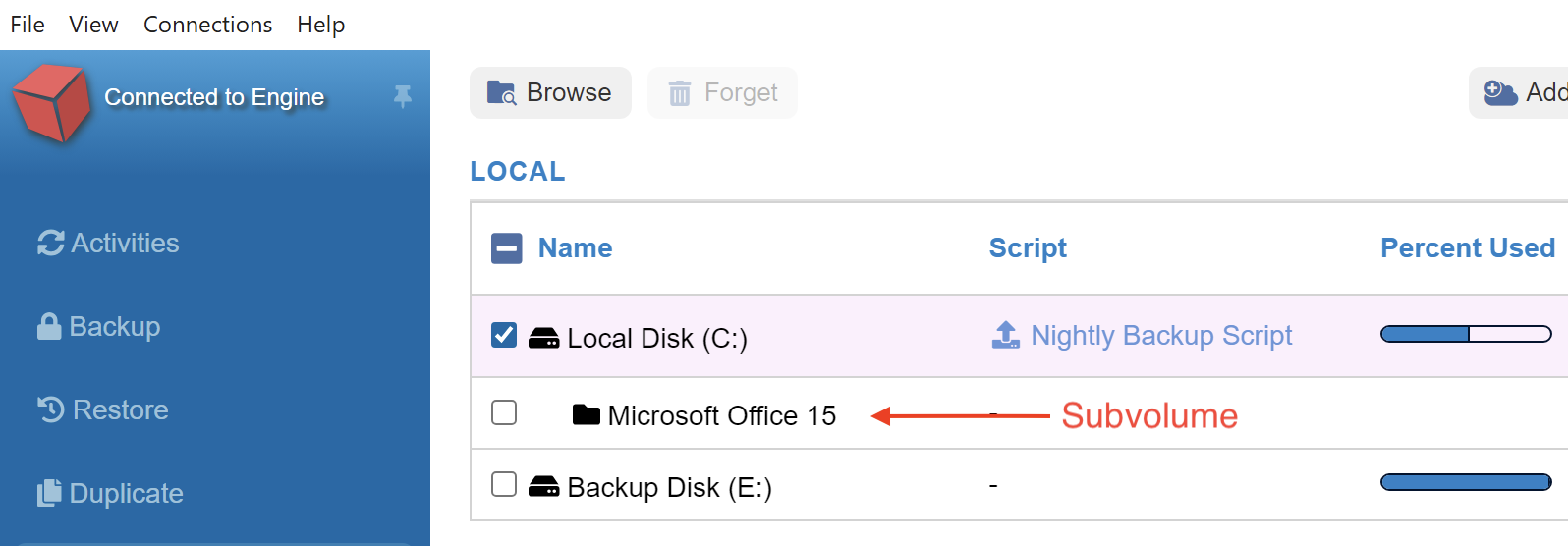
If you would like to back up a specific folder instead of an entire disk, you can create a subvolume inside Retrospect so that it is available as an individual backup source (or destination during a restore).
-
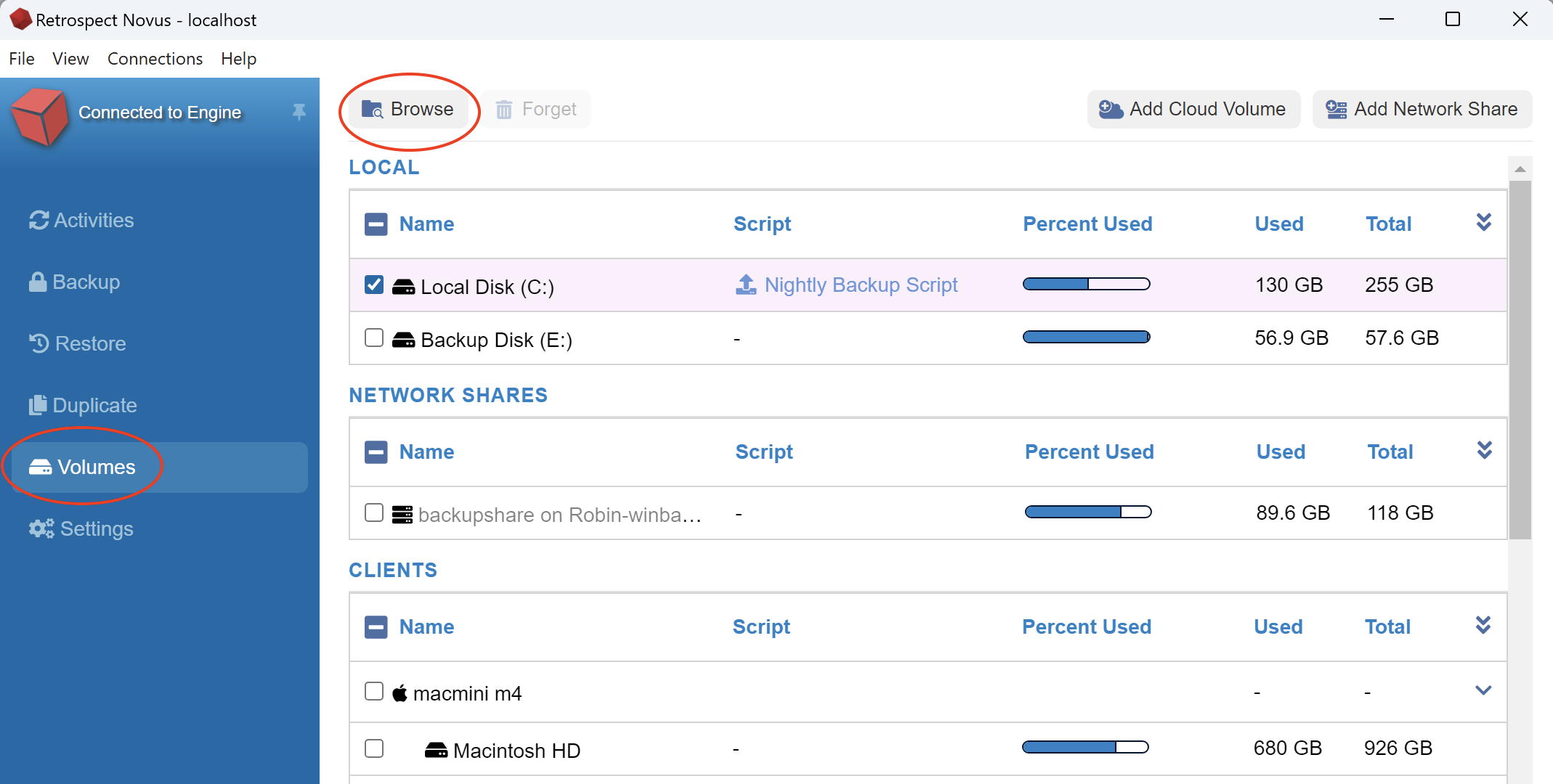
Click on Volumes on the left side of Retrospect Novus.
-
Click on a disk and click the Browse button at the top of Retrospect Novus
-
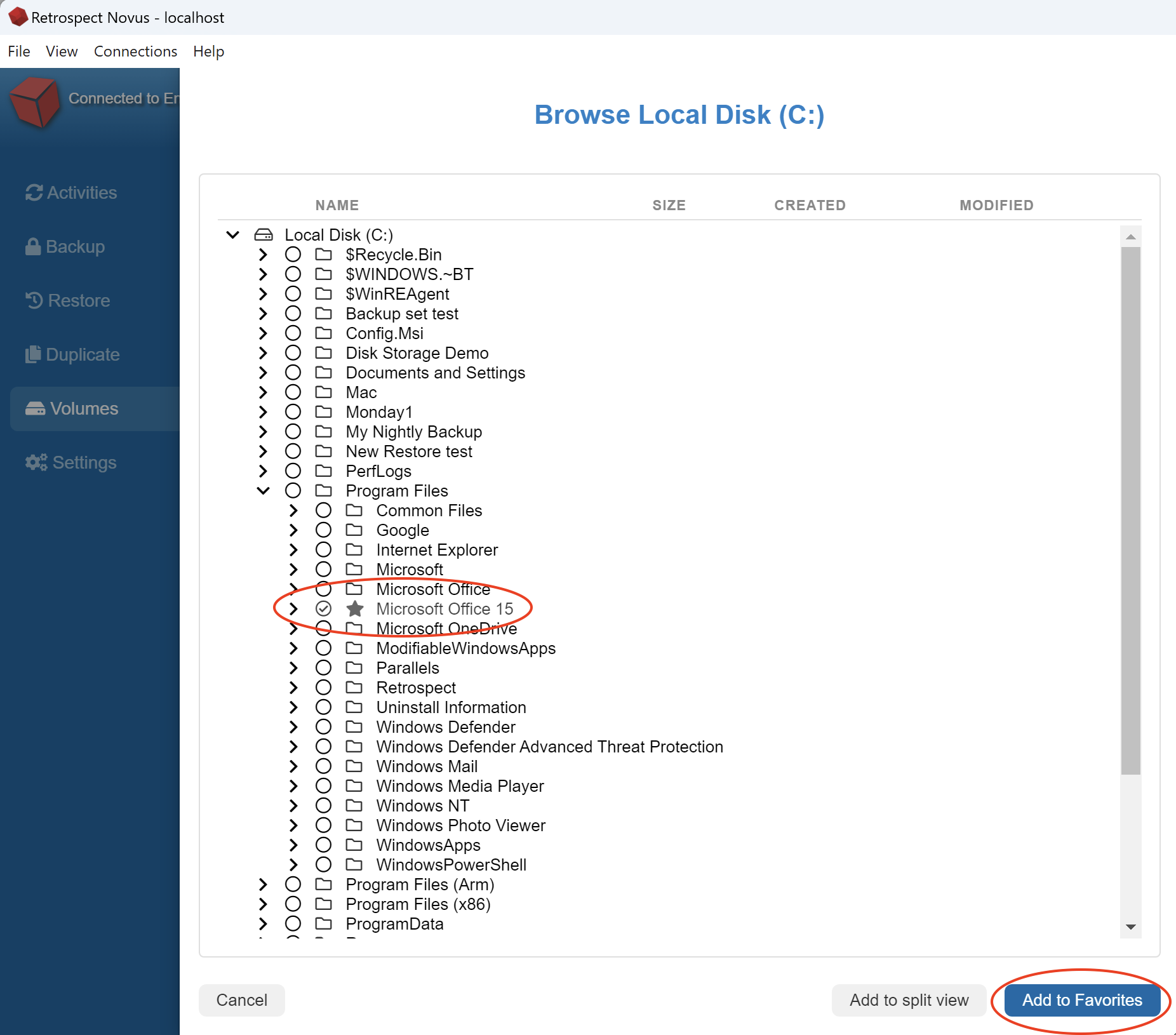
After you click Browse. Select a folder and click Add to Favorites
-
Once you click Add to Favorites, a Star icon will appear next to the favorite folder. You can select an additional folder and click Add to Favorites to add an unlimited number of folders to our volume listing.
When you are done creating Subvolumes, you can click Cancel to leave the window and return to Volumes.