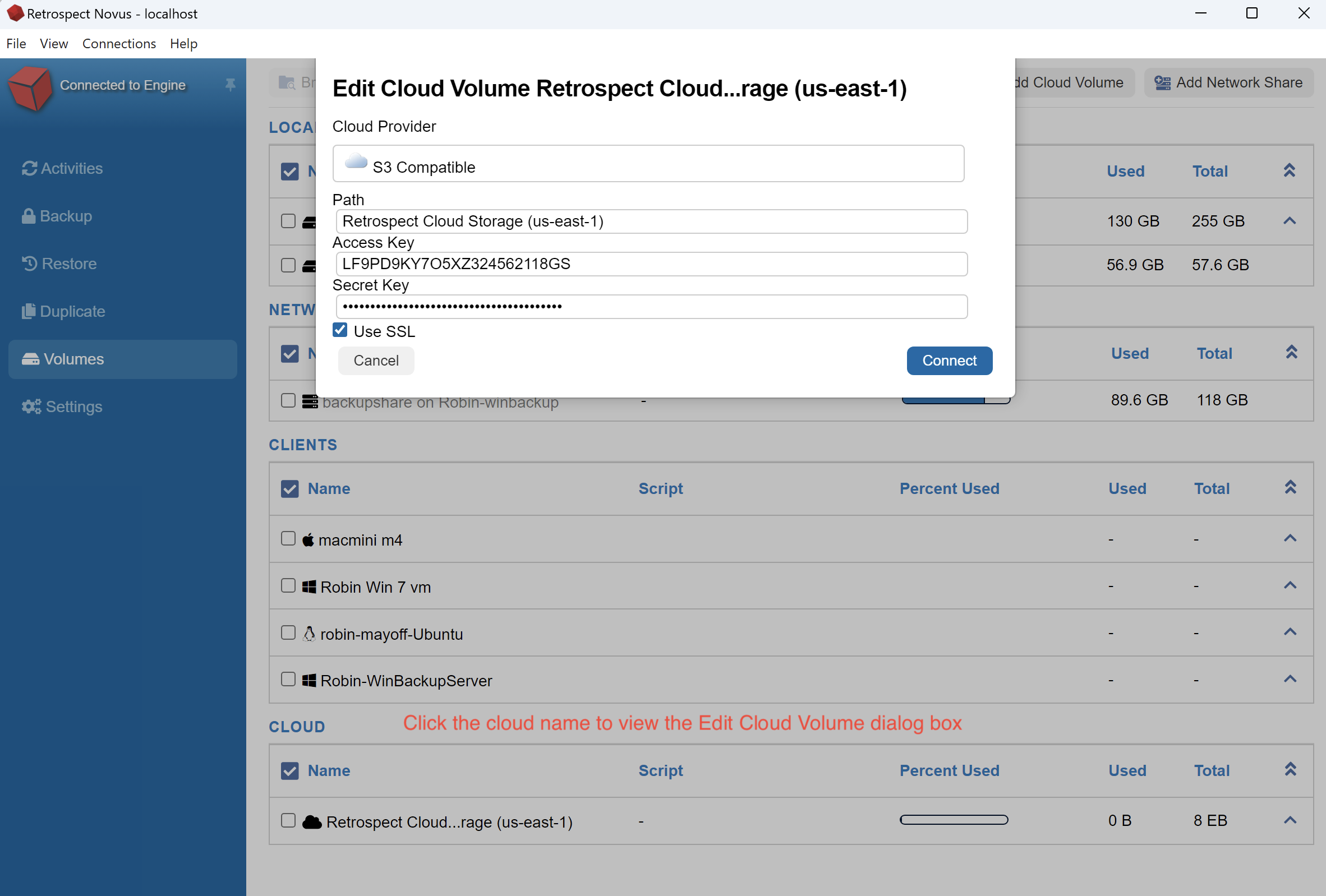
If you would like to use an S3 based cloud volume to Retrospect to be used as a backup source, you can do the following:
- Go to Volumes on the left side of Retrospect Novus and click Add Cloud Volume
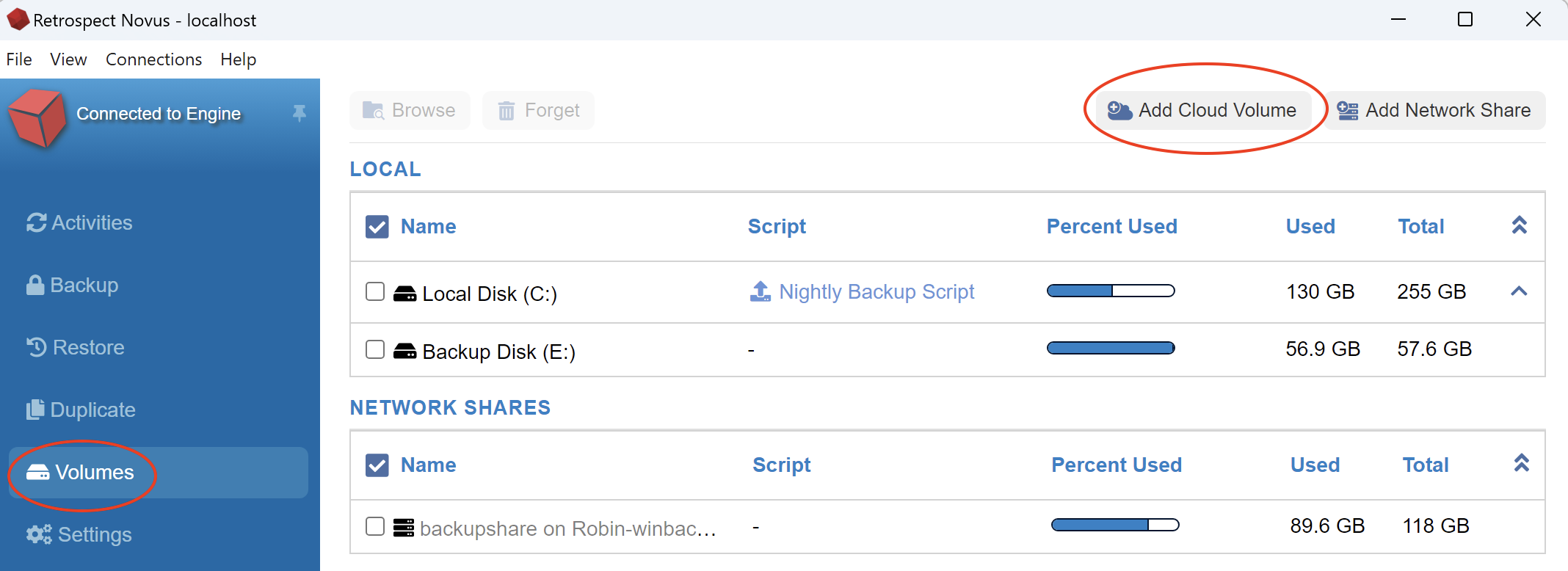
- Select your cloud service provider and enter your Path, Secret Key and Access Key. Click Connect when done.
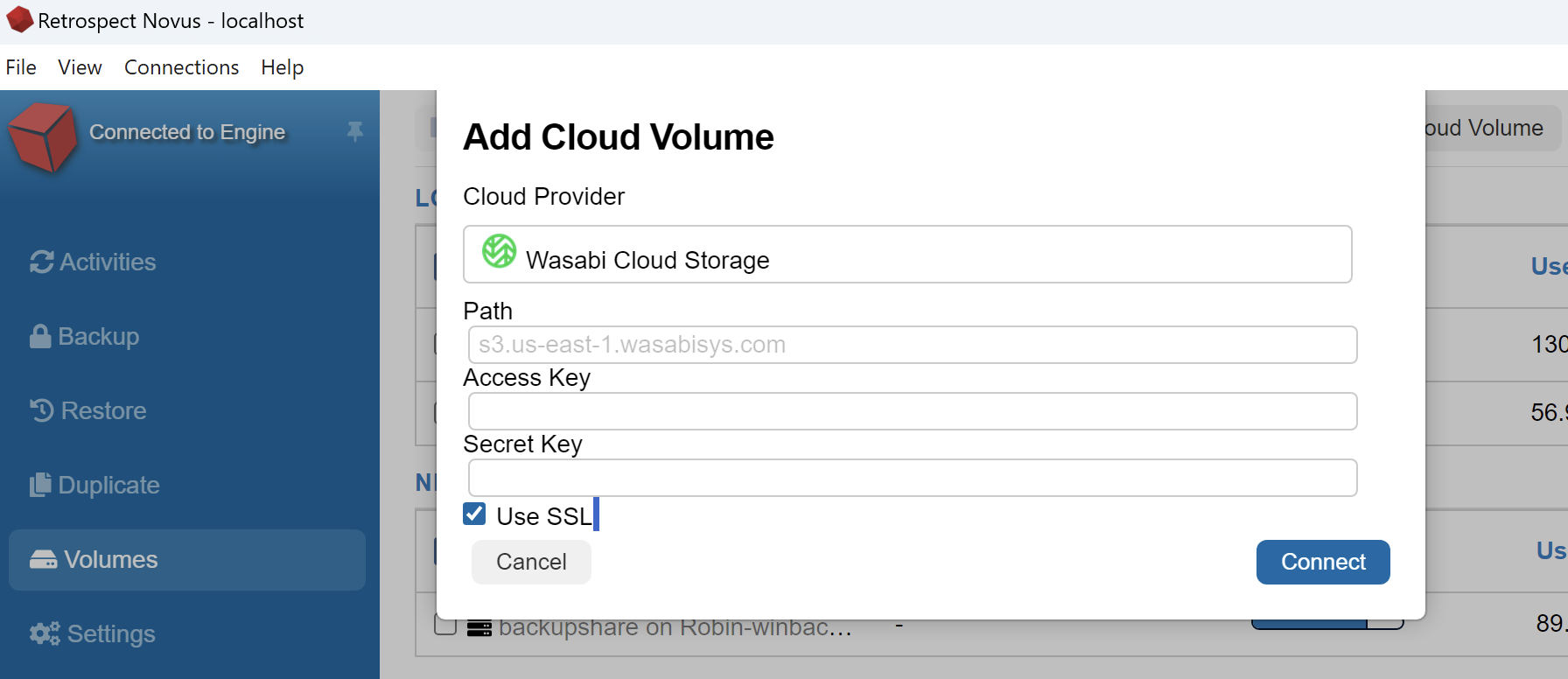
- Your Cloud volume will appear in the Cloud section of Volumes. This allows it to be used for Backup, Duplicate or Restore.
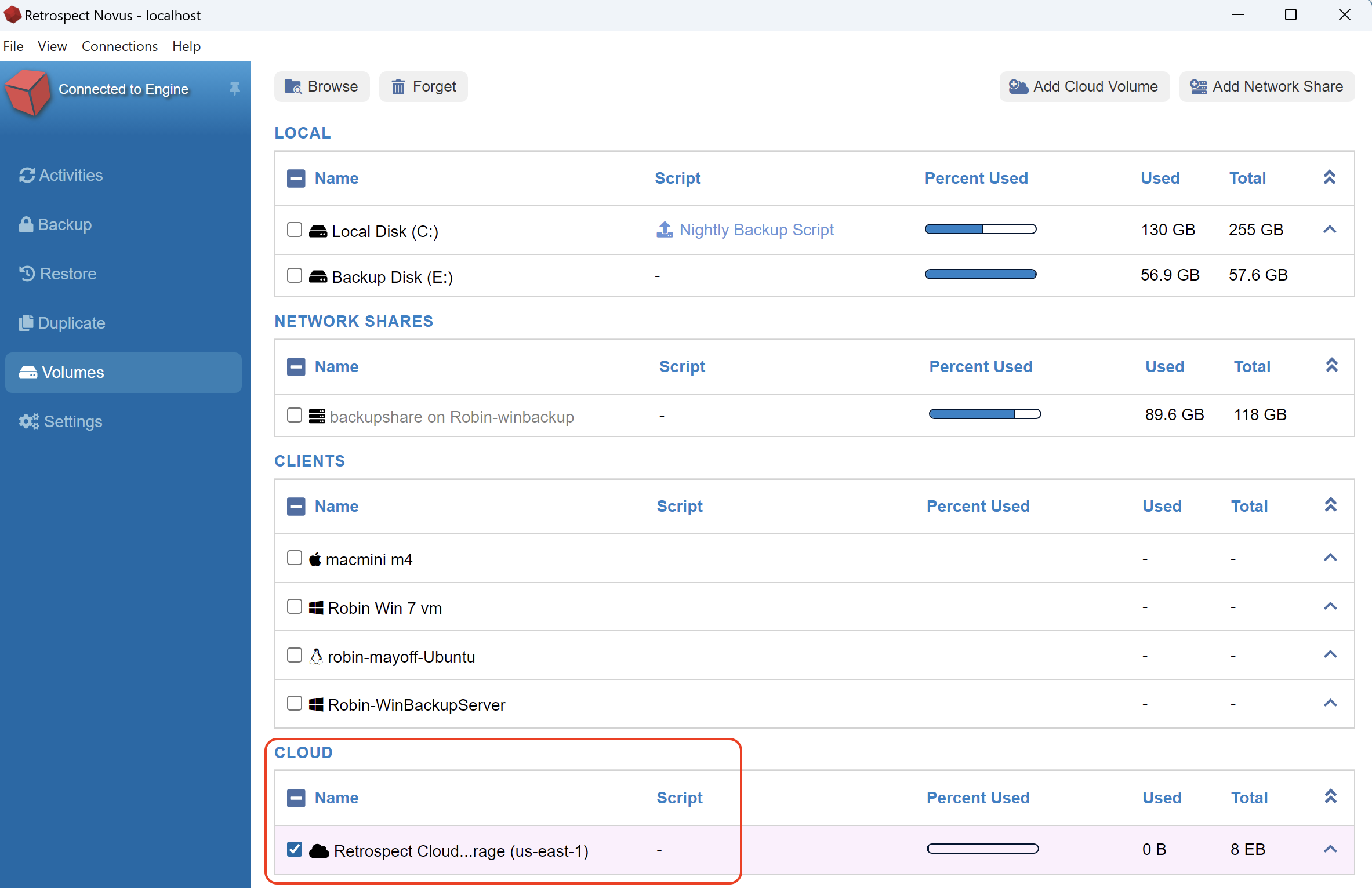
If you need to make changes to your cloud volume, click once of the volume name and a window will appear to edit your credentials. Click Connect to save changes.