Adding NAS devices to Retrospect Novus
- Published on May 29, 2026
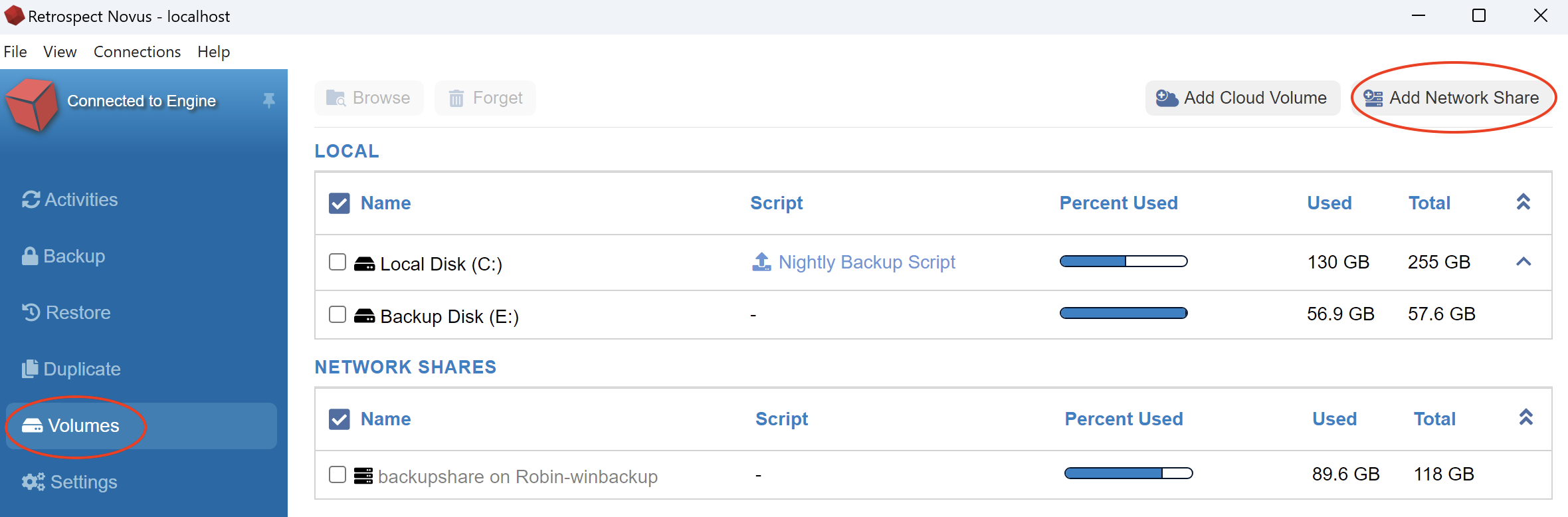
To add a NAS volume to your Retrospect volumes window, do the following:
- Click on Volumes on the left side of Retrospect Novus and click Add network Share
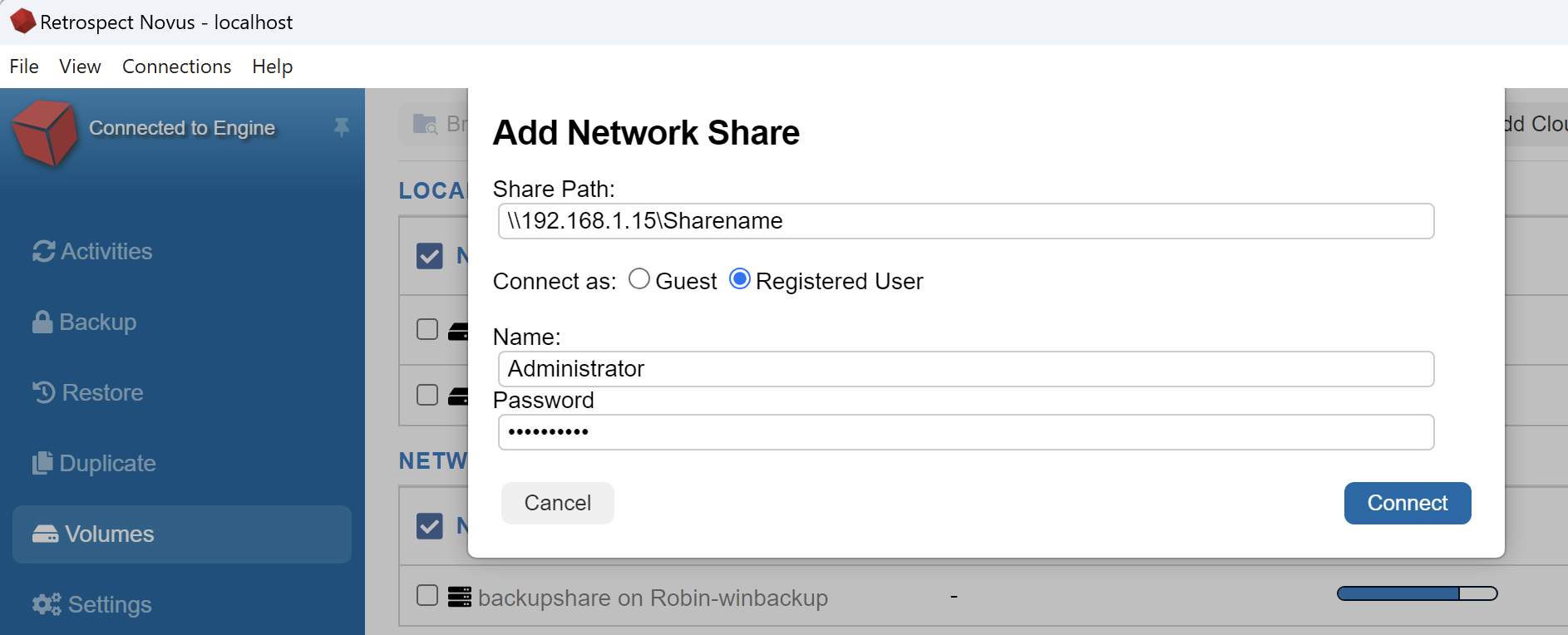
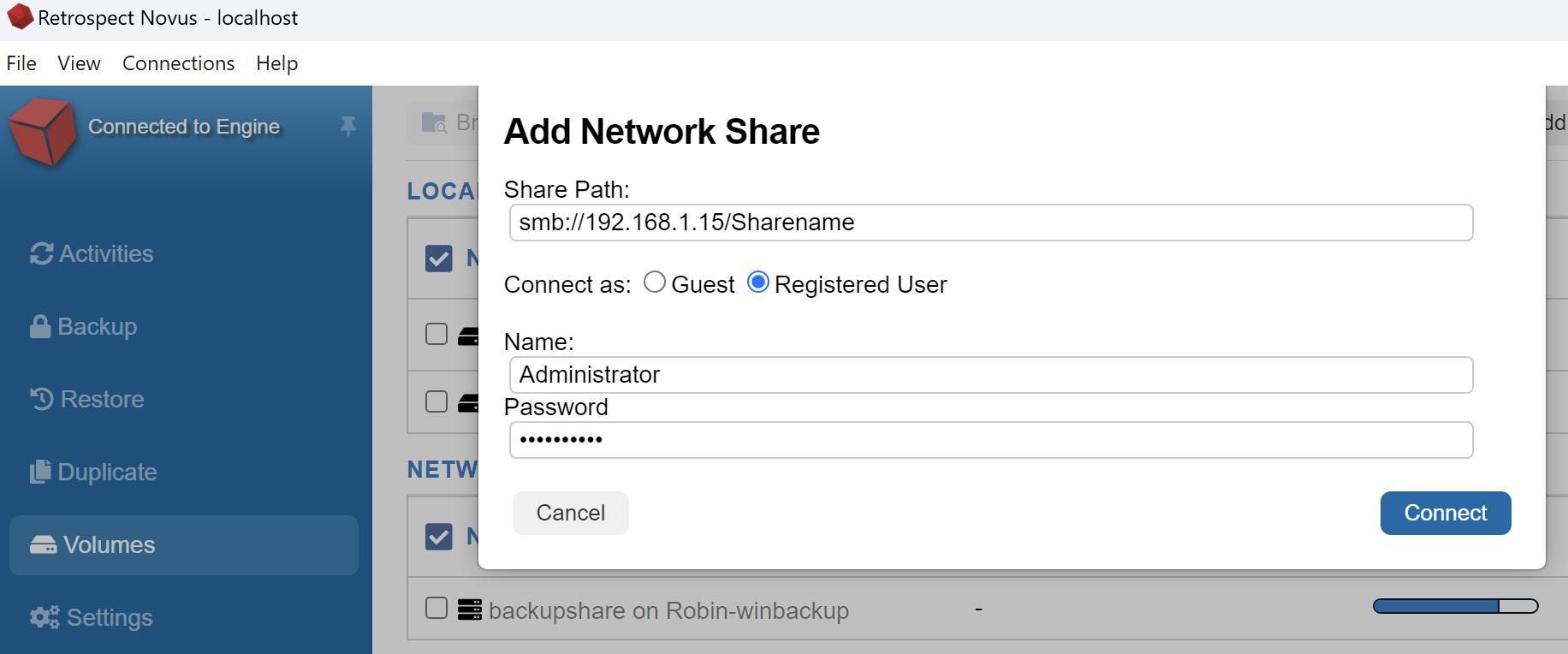
- Enter your server address and login credentials.
Windows UNC path example:
Macintosh SMB path example:
Was this article helpful?